2.8 KiB

K9s - A command line application to manage your kubernetes clusters.
A CLI written in GO and curses to interact with your Kubernetes clusters. The aim of this project is to make it easier to navigate, observe and manage your clusters.
K9s is a CLI for Kubernetes. It provides a bit more information about your cluster than kubectl while allowing to perform primordial Kubernetes commands with ease.

Installation
Homebrew (OSX)
brew tap derailed/k9s https://github.com/derailed/k9s-homebrew-tap.git
brew install k9s
Binary Releases
Features
Note: k9s does not have an idiot light. Please be sure to hit the correct command sequences to avoid pilot errors.
Are you sure?not in effect here...
- k9s uses 2 or 3 letters alias to navigate most Kubernetes resources
- At any time you can use
?<Enter>to look up the various commands - Use
alias<Enter>to activate a resource under that alias - Use
Escto erase previous keystrokes. - Use
QorCtrl-Cto Quit. Ctrlsequences are used to view, edit, delete, ssh ...- Use
ctx<Enter>to see and switch between your clusters
Video Demo
Screen Shots
Pod View

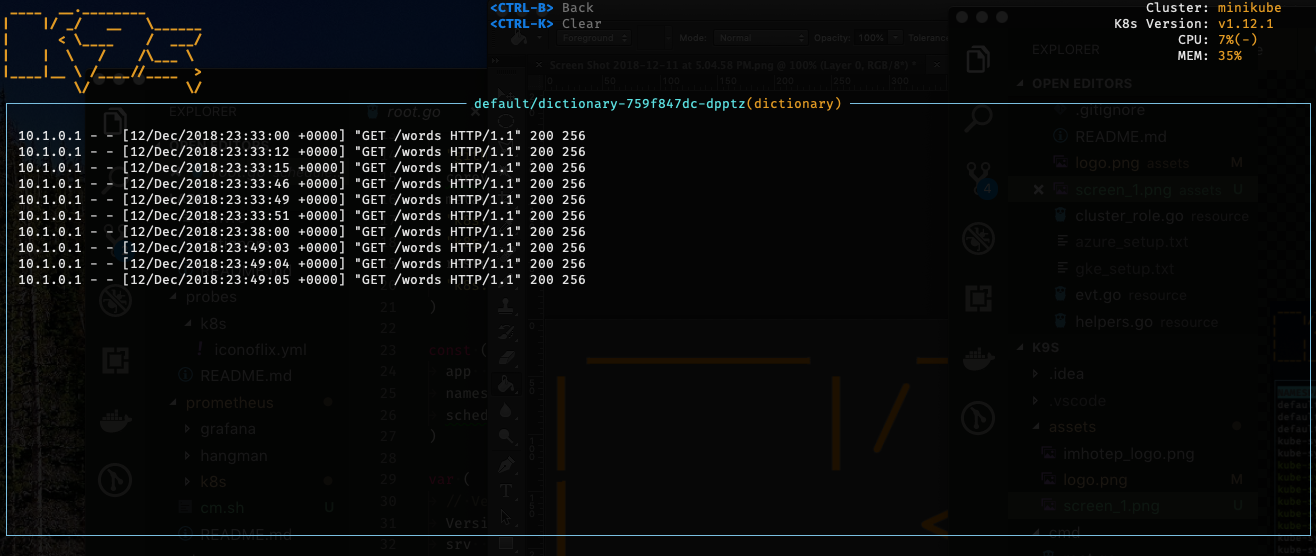
Log View
Known Issues...
This initial drop is brittle. k9s will most likely blow up if...
- Your kube-config file does not live under $HOME/.kube or you use multiple configs
- You don't have enough RBAC fu to manage your cluster
- Your cluster does not run a metrics-server
Disclaimer
This is still work in progress! If there is enough interest in the Kubernetes community, we will enhance per your recommendations/contributions. Also if you dig this effort, please let us know that too!
ATTA Girls/Boys!
k9s sits on top of two very cool GO projects that provides the much needed terminal support. So big thanks and shootout to the good folks at tcell+tview for making k9s a reality!!
Contact Information
- Email: fernand@imhotep.io
- Twitter: @kitesurfer
- Github: k9s
 © 2018 Imhotep Software LLC.
All materials licensed under Apache v2.0
© 2018 Imhotep Software LLC.
All materials licensed under Apache v2.0